

Where to find it
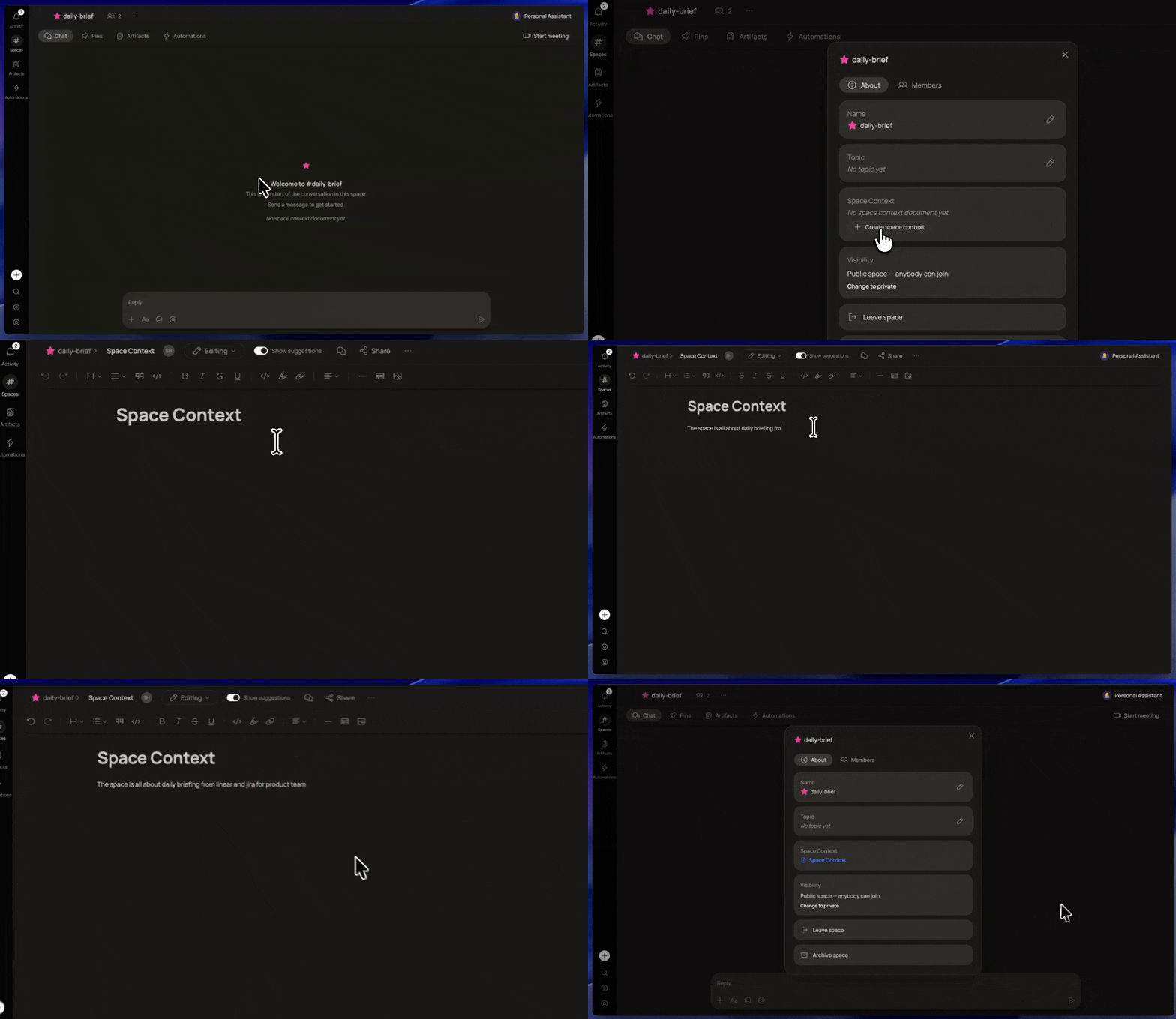
- Open a Space
- Click the Space name in the top bar (for example,
daily-brief) - That opens the Space panel where the Space Context document lives
- From there you can create, open, and edit the document
What to put in it
The Space Context document is free-form. You write whatever standing context you want every agent in this Space to carry. Good things to include:- What this Space is for (the project, the team, the workflow)
- Current goals or priorities
- Key decisions that have already been made
- Tone, format, or output preferences for this Space
- Links or references to other important docs
How it’s different from Pins
Pins surface specific messages, excerpts, or artifacts from chat history. The Space Context document is a single, editable brief you maintain directly.
Both contribute to what your agents know about the Space. Use the Space Context document for foundational context that never goes stale, and Pins for specific things worth highlighting.
Tips
The Space Context document is visible to everyone in the Space. It’s not a private scratchpad.